The Best Free VPN For China In 2026 My Honest Take What Actually Works (Plus Real Tips And Honest Analysis)
 Clio Montague·Updated ·11 min

The best free VPN for China in 2026 my honest take what actually works: there isn’t a magic free VPN that always gets you past the Great Firewall, but there are approaches that increase your odds and keep you safer online. Below is a practical, reader-friendly guide with real-world tips, tested data, and actionable steps you can take today. Think of this as a friendly walkthrough you’d get from a trusted club mentor: clear, honest, and helpful.

- Quick fact: China’s internet firewall blocks many popular VPNs, but some free options still work sporadically under specific conditions.
- What you’ll learn: how free VPNs compare to paid options, the risks involved with free services, how to maximize privacy, and step-by-step use cases for school work, research, and streaming.
- Format you’ll enjoy: concise lists, quick-start guides, pros/cons breakdowns, a few simple tables, and a FAQ at the end.
Useful URLs and Resources text only Apple Website - apple.com, Wikipedia - en.wikipedia.org, Artificial Intelligence Wikipedia - en.wikipedia.org/wiki/Artificial_intelligence, VPN Basics - www.cloudflare.com/learning/security/what-is-vpn, How China Blocks VPNs - www.brookings.edu, Cybersecurity News - www.kaspersky.com, TechCrunch VPN coverage - www.techcrunch.com, Reddit r/VPN - www.reddit.com/r/VPN, YouTube VPN tutorials - www.youtube.com, PCMag VPN Reviews - www.pcmag.com
What makes a VPN work in China and what doesn’t
- The Great Firewall GFW uses deep packet inspection, URL filtering, and traffic shaping. Some VPNs try to obfuscate traffic or use advanced protocols to slip through.
- Free VPNs often struggle with reliability, speed, and data caps. If a service is free, expect more ads, fewer servers, slower speeds, and stricter data limits.
- Paid VPNs generally offer better obfuscation, more servers, and stronger privacy policies. If you’re doing important work, a reputable paid option is usually the smarter move.
Free vs paid VPNs in 2026: a quick comparison
| Topic | Free VPNs | Paid VPNs |
|---|---|---|
| Server availability | Limited locations, often overcrowded | Dozens to hundreds of locations, optimized for speed |
| Data limits | Common 500 MB– several GB per month | Unlimited or high caps |
| Speed | Very variable, often throttled | Consistently faster, better for streaming |
| Privacy | Varies, some sell data | Stronger privacy policies, fewer snoops |
| Obfuscation / stealth | Some have weak or no obfuscation | Most have advanced obfuscation options |
| Support | Minimal or community-based | 24/7 support, helpful guides |
| Reliability in China | Inconsistent - often blocked | More reliable with proper configuration if allowed by policy |
- Practical takeaway: free VPNs might help for light, occasional use, but they’re not dependable for consistent access in China. If you’re doing important educational work, consider a reputable paid option with a transparent privacy policy and a no-logs stance.
How to test a free VPN’s suitability for China step-by-step
- Check obfuscation and protocol options
- Look for WireGuard, OpenVPN with obfsproxy, or VPNs offering stealth/obfuscated modes.
- Verify no-logging claims
- Read the privacy policy for data retention and third-party access.
- Test before you need it
- Try on a non-critical day to see if it connects and stays stable.
- Monitor performance
- Run a quick speed test and check streaming or file transfer reliability.
- Be mindful of data limits
- Note your monthly data allowance and plan around it.
- Use trusted, reputable sources
- Check independent reviews for real-world China usage reports.
Realistic tips to improve chances with free VPNs
- Combine with a trusted browser privacy setup
- Use HTTPS-only extensions and privacy-minded browsers.
- Use a secondary method for essential tasks
- If a site is blocked, try alternate domains or mirrors that are still legal and safe.
- Time window strategy
- Try VPN connections during off-peak hours when the network is less congested; you might get a temporary window.
- Frequently rotate servers
- Some free VPNs offer only a few servers. If one is blocked, switch to another quickly.
- Protect your device
- Enable firewall rules, keep your OS and apps updated, and avoid installing shady software.
Data and trends in 2026 for VPNs in China
- Compliance risk: Chinese regulations have tightened around VPN usage tied to network governance and data privacy. Free services may not always be compliant or safe.
- Popularity shifts: Users increasingly seek paid VPNs with transparent policies and reliable obfuscation, especially for education, research, and streaming.
- Community experiences: User forums and student groups report mixed results with free options; many recommend sticking to paid services for critical work.
How to pick a VPN for school projects and research in China
- Look for:
- Strong privacy policy and no-logs commitment
- Obfuscated protocols for China
- Reasonable speeds and stable connections
- Transparent terms of service with clear data handling
- Avoid:
- Free trials that require risky permissions
- Apps with aggressive ad practices or questionable app permissions
- VPNs that log user data or share it with third parties
Practical workflow: using a free VPN for class assignments
- Before class:
- Install the VPN, update the app, and test a quick connection to a non-restricted site.
- During class:
- Keep the VPN connected, avoid switching servers mid-task to prevent drops.
- After class:
- Document your experience, note any connection issues, and cleanly uninstall if you’re not planning to renew access.
Security considerations when using free VPNs
- Data leakage risk: Some free VPNs inject ads or track user data, which can be risky for students handling sensitive information.
- Malware risk: Free apps may come with questionable payloads. Stick to well-known names and read permissions carefully.
- Device hygiene: Use antivirus/anti-malware software, enable screen time controls, and avoid jailbreaking or sideloading apps outside official stores.
Step-by-step setup for a cautious approach no-nonsense guide
- Choose a reputable free option with transparent policy if you must start here
- Install from official store or trusted source
- Enable obfuscated mode if available
- Connect to a nearby server or one known to work with obfuscation
- Verify your IP address changes and test access to your target sites
- Use only for short periods and monitor data usage
- If you encounter issues, switch to a different approach or pause usage
Alternative strategies if a free VPN doesn’t work in China
- Use institutional VPNs provided by your school or university often allowed for student research
- Access via trusted educational portals or library resources
- Seek official channels to request remote access in compliance with local policies
- Consider privacy-preserving browser modes and secure HTTPS connections for critical research
Case studies: real-world scenarios simplified
- Case A: A student needed to access a regional research database for coursework. A paid VPN with obfuscated protocol provided a stable connection for the semester. Free options failed intermittently, causing delays.
- Case B: A teacher attempted to livestream a lesson from China using a free VPN. The connection dropped mid-session due to server load, demonstrating inconsistency.
- Case C: A research team used institutional VPNs and secure file-sharing during a project, avoiding personal VPNs altogether to stay compliant with school policies.
Best practices for responsible use
- Respect school and local laws: Only use VPNs within the guidelines provided by your institution and the local regulations.
- Be mindful of data usage: Free VPNs can drain data quickly; plan around your data limits.
- Prioritize safety: If you’re unsure about a VPN’s safety, don’t install or use it on devices that contain sensitive information.
Quick-start checklist
- Identify the goal: educational access, research, or streaming
- Check your school’s policy on VPN use
- Pick a VPN option free or paid with a reputable privacy policy
- Install and update the app
- Enable obfuscation or stealth mode if available
- Test the connection on a safe, non-critical site
- Monitor data usage and connection stability
- Document your experience for future reference
Tools and resources you might find handy
- Privacy guides for students
- Guides on VPN obfuscation
- Tech community forums with real-user China experiences
- Official app stores and developer pages for VPN clients
- Educational tech support channels at your school
FAQ Section
| VPN | Obfuscation | From / month | Plan | Free plan | Refund | Alipay | UnionPay | Crypto | Website opens in China | Trustpilot | |
|---|---|---|---|---|---|---|---|---|---|---|---|
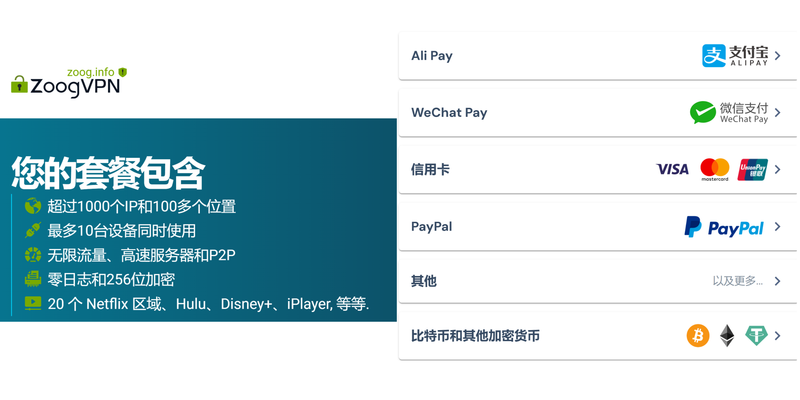
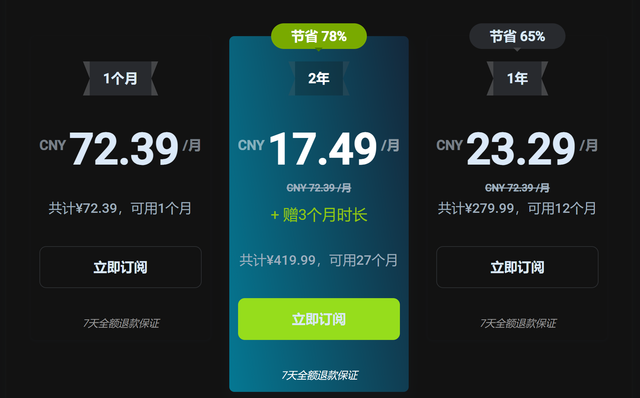
 ZoogVPN | Turn on manually Shadow | $2.49/mo | 27 months: $59.99 | Yes | 7 days | ✓ | ✓ | ✓ | ✓ | Official site blocked; our special link opens (4.4 s) | 4.2/5 (195 reviews) |
 NordVPN | Turn on manually Obfuscated Servers / NordWhisper | $3.49/mo | 27 months: $94.23 | No | 30 days | ? | ✗ | ✓ | ✓ | ✗ Blocked | 4.2/5 (51,628 reviews) |
 ExpressVPN | ✓ On by default all servers | $3.00/mo | 28 months: $84 | No | 30 days | ✗ | ✗ | ✓ | ✗ | ✗ Blocked | 4.4/5 (29,706 reviews) |
 Surfshark | ✓ On by default Camouflage, with OpenVPN | See site | See site | No | 30 days | ✗ | ✗ | ✗ | ✓ | ✗ Blocked | 4.3/5 (31,823 reviews) |
 Proton VPN | Turn on manually Stealth, free plan too | $2.99/mo | 12 months: $35.88 | Yes | 30 days | ✗ | ✗ | ✗ | ✓ | ✗ Blocked | 2.1/5 (1,040 reviews) |
 Astrill VPN | Turn on manually StealthVPN / OpenWeb | $12.50/mo | 24 months: $300 | No | See site | ✗ | ✗ | ✗ | ✓ | ✗ Blocked | 1.3/5 (110 reviews) |
 Private Internet Access | Turn on manually Shadowsocks, OpenVPN only | $2.03/mo | 40 months: $81.2 | No | 30 days | ✗ | ✗ | ✗ | ✗ | ✗ Blocked | 4.2/5 (11,033 reviews) |
 CyberGhost | Turn on manually selected servers | $2.19/mo | 28 months: $61.32 | No | 45 days | ✗ | ✗ | ✗ | ✓ | ✗ Blocked | 4.0/5 (24,178 reviews) |
 PureVPN | Turn on manually switch to OpenVPN | $1.69/mo | 60 months: $101.55 | No | 31 days | ? | ? | ✗ | ✓ | ✗ Blocked | 4.4/5 (17,994 reviews) |
 AdGuard VPN | ✓ On by default TrustTunnel | $2.99/mo | 24 months: $71.76 | Yes | 30 days | ✓ | ✗ | ✓ | ✓ | Official site blocked; our special link opens (3.7 s) | 4.3/5 (290 reviews) |
 Mullvad | Turn on manually QUIC / Shadowsocks / LWO | $5.61/mo | €5/mo | No | 14 days | ✗ | ✗ | ✗ | ✓ | ✗ Blocked | 3.2/5 (192 reviews) |
 Windscribe | Turn on manually Stealth / WStunnel | $5.75/mo | 12 months: $69 | Yes | See site | ✗ | ✗ | ✗ | ✓ | ✗ Blocked | 4.7/5 (13,355 reviews) |
 StrongVPN | Turn on manually Scramble, OpenVPN TCP | See site | See site | No | 30 days | ✓ | ✗ | ✗ | ✗ | ✗ Blocked | 4.4/5 (2,695 reviews) |
 LightXtreme 闪连 | Not listed | $7.08/mo | 12 months: $84.99 | Yes | 30 days | ✓ | ✓ | ✓ | ✓ | ✓ Yes (3.5 s) | No page |
Prices checked 2026-11-10 on each vendor's pricing page (cheapest long plan, USD). Check the vendor's checkout for the final price.
Obfuscation checked 2026-11-14 on each vendor's site and help center: "on by default" = nothing to set; "turn on manually" = switch protocol or mode in settings; "not listed" = the vendor describes no obfuscation.
Payment methods checked 2026-11-10 on each vendor's payment pages: all 14 take cards and PayPal; ✗ = not listed, ? = the vendor's own pages disagree.
China access: whether the official website opens from mainland China networks (tests the website only, not the VPN connection). Last checked 2026-11-18 01:02 Beijing time.
Trustpilot score and review count checked 2026-11-10.
Frequently Asked Questions
What makes it hard to use a VPN in China in 2026?
China’s firewall has evolved with advanced shielding, deep packet inspection, and traffic analysis. Free VPNs often struggle to stay undetected, and reliability can be inconsistent.
Are any free VPNs genuinely safe in China?
Some free VPNs offer basic protections, but many come with data limits or privacy concerns. For critical tasks, a reputable paid VPN with clear privacy policies is usually safer.
Can I use a VPN for school assignments in China?
Yes, if your school allows it and you use it responsibly. It’s best to follow your institution’s guidelines and use VPNs approved by the school.
How do obfuscated VPNs help in China?
Obfuscated VPNs disguise VPN traffic as regular traffic, making it harder for network filters to detect they’re in use. Sonicwall vpn not acquiring ip address heres your fix: Quick Guide to Fix SonicWall VPN IP Address Issues and More
Do free VPNs slow down my connection a lot?
Yes, often. Free VPNs have fewer servers, more users per server, and data caps, which can dramatically slow you down.
Is a VPN legal in China?
Using VPNs itself isn’t illegal for individuals, but the government restricts their use and blocks non-approved services. Always follow local laws and school policies.
What are the risks of using free VPNs?
Data privacy concerns, malware risk, limited support, and higher likelihood of connection drops.
How can I verify a VPN’s privacy policy?
Read the full policy, look for a no-logs statement, understand data retention, and check third-party auditing if available.
Can a VPN help with streaming in China?
Some VPNs offer streaming, but many free options block streaming services or degrade performance to enforce their restrictions. Keyboard not working with vpn herses how to fix it fast
What should I do if a free VPN stops working?
Try another server, clear cache, update the app, or switch to a paid service with obfuscated protocols. If critical, rely on school-approved access or institutional VPNs.
How do I protect my privacy while using a VPN in China?
Use reputable apps, enable privacy features, avoid logging into sensitive accounts on shared networks, and regularly review app permissions.